- Products›
- Amazon Connect›
- Amazon Connect Agent Workspace
Amazon Connect Agent Workspace
Empower your agents with a unified, AI-powered experience
Overview
Amazon Connect agent workspace gives your human agents everything they need to help customers faster and more effectively.
Instead of switching between multiple applications for a single customer contact, agents have a unified experience where step-by-step guidance and AI assistance are part of your agents' natural workflow. This means faster onboarding for new agents, quicker issue resolution, and happier customers.
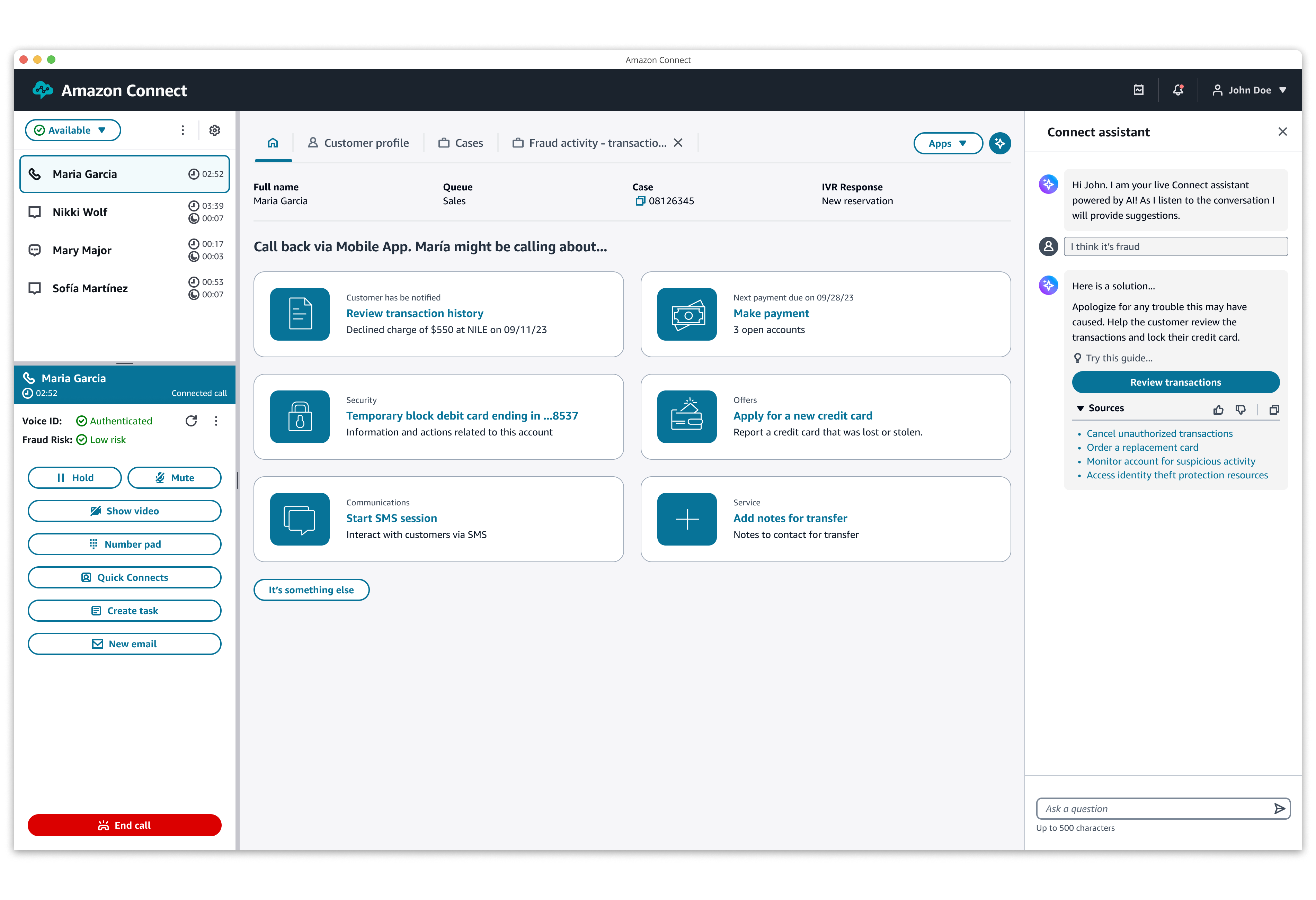
Display everything agents need in one place
When agents accept calls, chats, messages, emails, and tasks, they can view updated customer information, receive AI-powered recommendations, and use step-by-step guidance to resolve issues quickly. The agent workspace delivers these capabilities out-of-the box and also allows you to integrate third-party applications, internal systems, and agent reporting dashboards.
Guide agents to faster resolutions
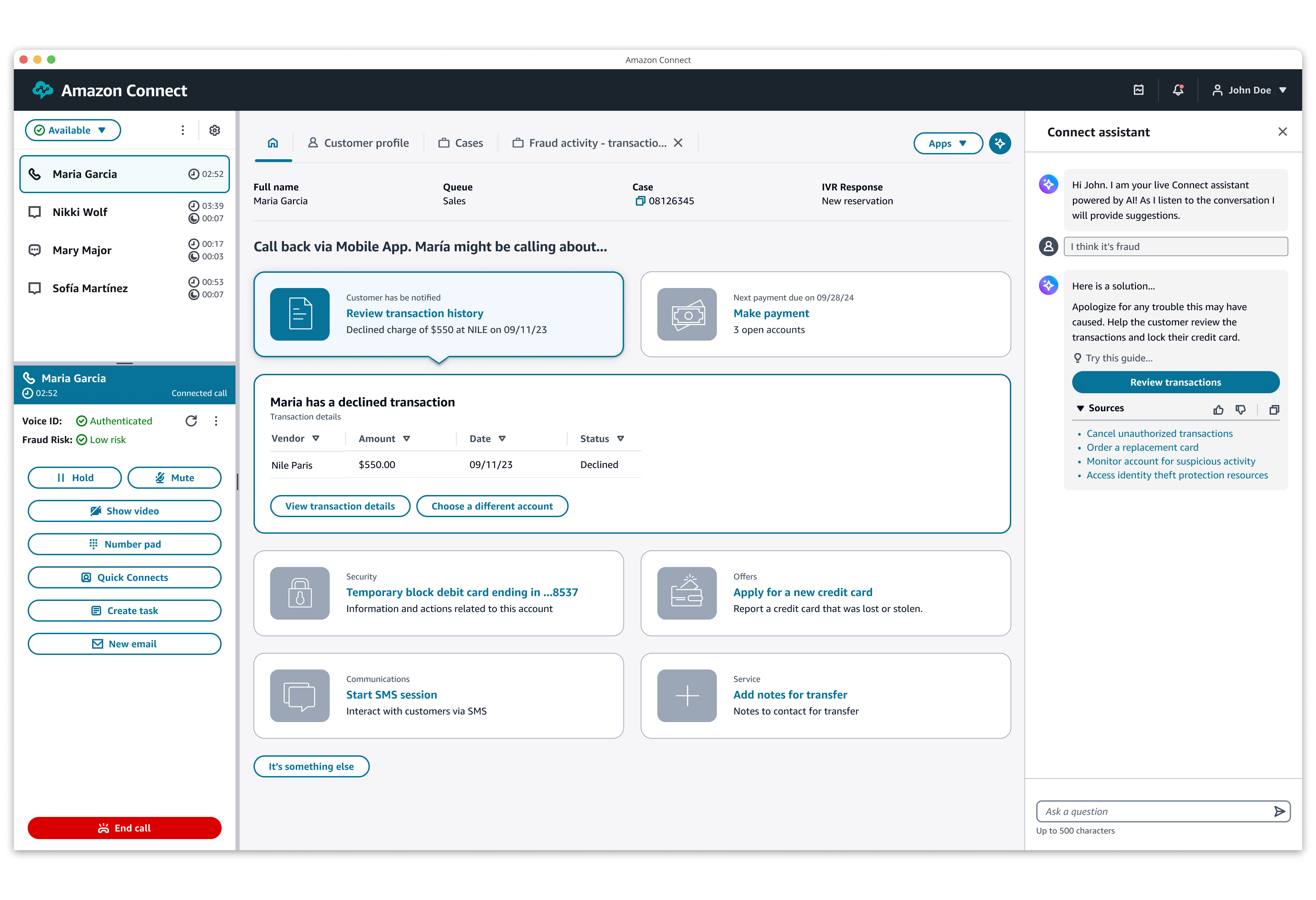
Customer issues are automatically identified, and agents receive real-time responses and recommended actions, including step-by-step guides, tailored to the end-customer's needs. If assistance is needed when customers are self-serving, agents can jump in to continue the guided workflow. Agents can also access third-party applications in a step-by-step guide, providing the right context to resolve contacts without the need to navigate away.
Easily create your agent workflows and guides
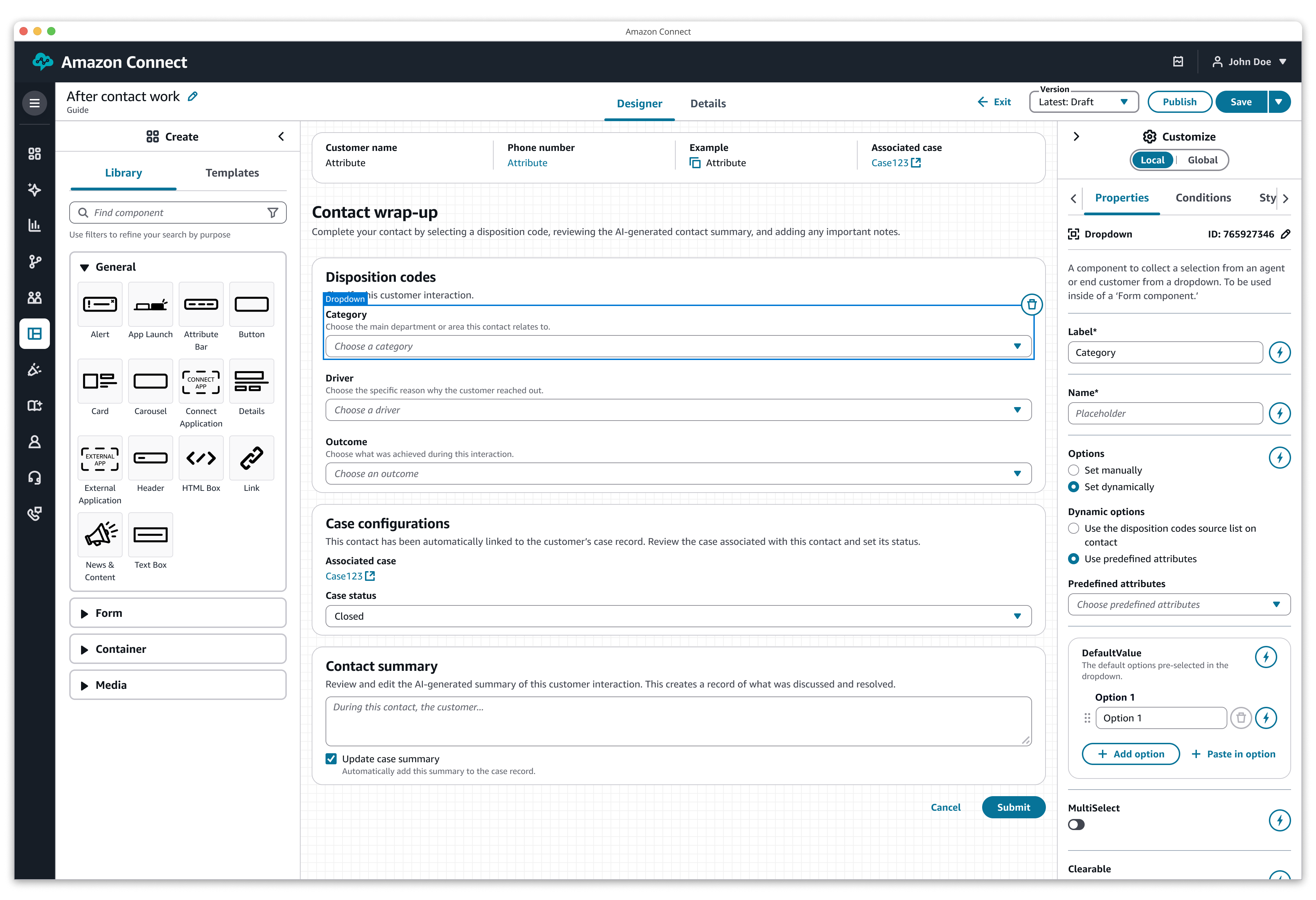
Use the drag-and-drop workflow designer to create and modify step-by-step guides for agents and end-customers. Use the same building blocks as contact routing, enabling you to pass customer context from your Interactive Voice Response (IVR), chatbots, and step-by-step guides for end-customers to your agents based on context such as call queue and customer information.
Page topics
FAQs
Open allAgents log into the agent workspace with their login credentials for Amazon Connect. Once they log in, they can access out-of-the-box capabilities including contact controls, customer profiles, and case management. When a call, chat, message, email, or task comes in, any enabled feature will automatically surface contextually relevant views, with details such as the customer's profile and their issue, which helps the agent resolve issues faster. Every Amazon Connect instance includes the agent workspace enabled by default. To help your agents log in, see the Administrator Guide.
To offer a single workspace for your agents while supporting your company’s specific use cases, you can integrate applications from your company or third-party vendors in the agent workspace. For example, your agents can use a proprietary reservation system or a vendor-provided dashboard within the agent workspace. You can also integrate third-party services, which run in the background and trigger actions that do not require agent interaction. To learn how to integrate or build a third- party interaction, see the documentation.
The agent workspace is a web application that allows you to access the Contact Control Panel (CCP), step-by-step guides, customer profiles, cases, and Connect assistant. Agent workspace users automatically have access to the latest features, capabilities, and updates. The CCP is a web application that contact center agents use to manage calls, chats, messages, emails, and tasks. Customers use the CCP within the agent workspace, as a standalone web application, or embedded in their own custom web application.
You can create custom workflows and step-by-step guides for your agents, end-customers, and other users by using the Amazon Connect drag-and-drop workflow designer. For more details, see the Administrator Guide.
In the drag-and-drop workflow designer, you determine which guides are shown to an agent under specified conditions. For example, you can surface Guide A for your agents every time a contact comes through Queue A. Alternatively, you can surface specific guides depending on different IVR inputs. Configuration is customizable for your business needs.